
Deal Stacking: Combining Coupons, Sales, and Rebates Without Breaking Store Rules

Key Takeaways
- Deal stacking means applying multiple discount types to one item: a store sale, a manufacturer coupon, and a rebate can all work together.
- Store coupon policies determine what combinations are allowed; reading them before checkout prevents rejected discounts.
- Cashback apps and loyalty rewards typically layer on top of other discounts without voiding them.
- Stacking works best on items you already planned to buy, not as a reason to buy something new.
- Timing a stack to coincide with a weekly sale cycle produces the largest savings without extra effort.
What you will need
What deal stacking actually means
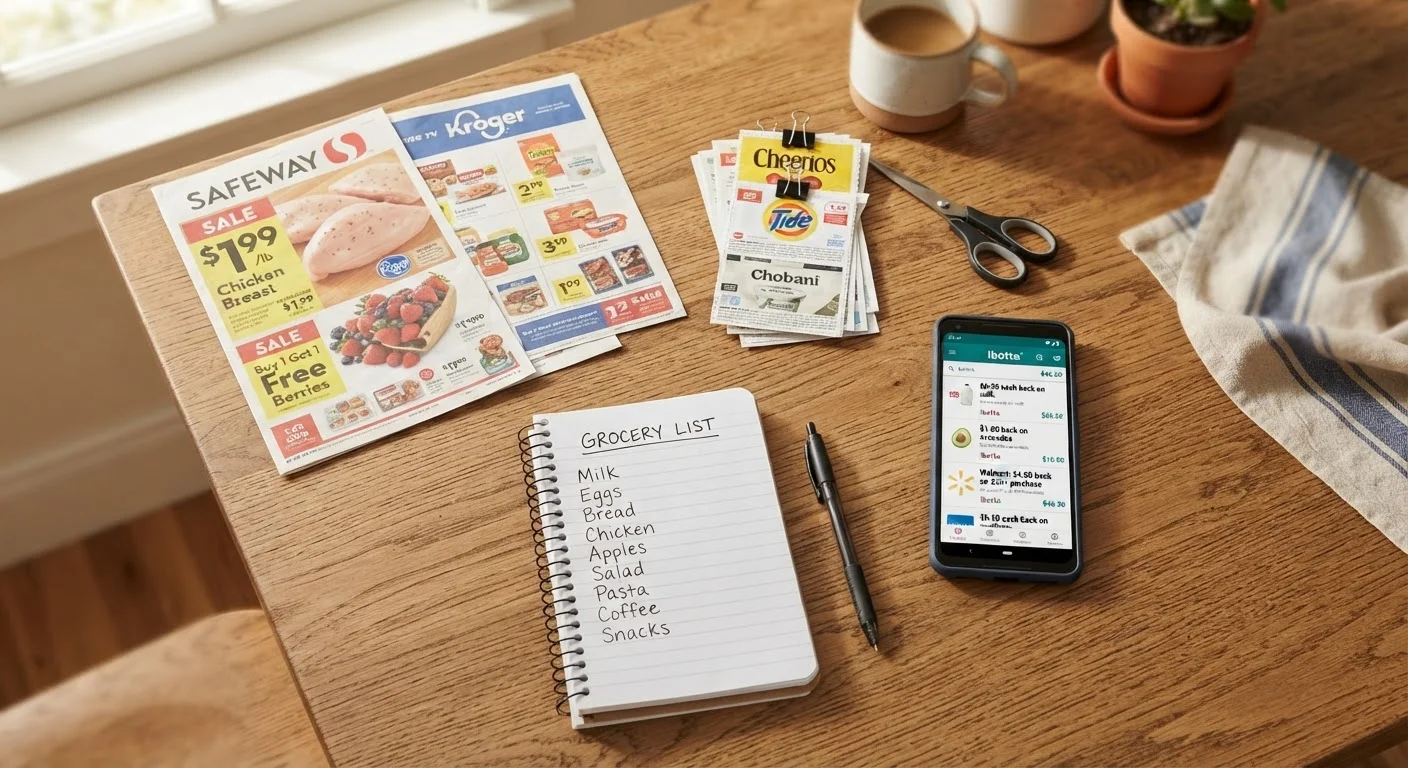
Deal stacking is the practice of applying more than one discount type to a single purchase at the same time. A common stack looks like this: an item is on a store-run sale, you hold a manufacturer coupon for that item, and you have enrolled in a cashback rebate offer through an app. Each layer reduces the final price independently, and none of them inherently cancels the others.
The confusion around stacking usually comes from conflating different discount categories. Coupons, promo codes, and cashback each work differently, and understanding those differences is what lets you combine them correctly. A manufacturer coupon is issued by the brand, not the store, so stores treat it as a form of reimbursement rather than a cost to themselves. A store coupon comes from the retailer's own budget. Rebates from third-party apps settle after purchase. These are genuinely separate financial instruments, which is why they can coexist.
What stacking is not: it is not using two of the same coupon on one item, submitting duplicate rebate claims, or circumventing a retailer's stated exclusion policy. Those actions violate store terms and can result in account suspension or coupon program revocation.
Reading store coupon policies before you shop
Every major grocery chain, drugstore, and mass retailer publishes a coupon policy, usually in the customer service section of their website. These policies define exactly which combinations are allowed. The two terms that matter most are coupon stacking (using one manufacturer coupon and one store coupon on the same item) and doubling (when the store increases a coupon's face value, often capped at a specific dollar amount).
Most large retailers allow one manufacturer coupon plus one store coupon per item. Some also allow a digital store coupon to stack with a paper manufacturer coupon for the same item. What they rarely allow is two manufacturer coupons or two store coupons on one unit. These limits are not arbitrary: they reflect the store's agreement with brands and its own promotional budget.
Check the policy version, not just the policy
Retailer coupon policies are updated without notice, and what was allowed last season may be restricted now. Before a planned big-savings trip, verify the current policy directly on the store's website rather than relying on a screenshot or a forum post. Bringing a printed copy of the current policy to the store can resolve disputes at the register quickly and without argument.
Before a planned shopping trip, search the retailer name plus "coupon policy" and read the current version. Policies change, and the version you read six months ago may not match what the cashier's system enforces today. Saving a screenshot or printing the policy to bring to the store is an option if you anticipate any friction at checkout.
How to build a legal and effective stack
The steps below apply to both grocery and general merchandise contexts. Adjust for your specific retailer once you have read their policy.
Identify items already on your shopping list that are on sale this week
Start with what you need, not with what has a coupon. Check the store's weekly circular (available on their app or website) and mark any items on your list that are currently price-reduced. These sale items become your stacking candidates.
Match manufacturer coupons to your sale items
Search your physical coupon inserts, the store's app, and manufacturer websites for coupons on your sale items. Confirm each coupon's expiration date and any size or variety restrictions. A coupon for "any 12 oz variety" will not scan on a 10 oz package.
Check for a store digital coupon on the same items
Open the store's app or loyalty account and clip any digital store coupons for your target items. Confirm these are store-issued coupons rather than digitized manufacturer coupons: the distinction matters for stacking. If both exist for the same product, verify the store's policy allows combining them before assuming they will both apply.
Activate any applicable cashback rebate offers before shopping
Open your cashback app and search for rebate offers on your items. Activate each offer per the app's instructions. Some apps require activation before you are in the store; others only require it before submitting your receipt. Read each offer's terms for purchase date windows and any excluded stores.
Confirm your stack against the store's coupon policy
Before checking out, verify that your planned combination does not exceed the store's stated limits. One manufacturer coupon plus one store coupon per item is a common maximum. If you are unsure, the customer service desk can confirm before you reach the register.
Submit your receipt for cashback after purchase
Within the time window specified by your cashback app, photograph your receipt and submit it through the app. Make sure the store name, date, and qualifying items are legible in the photo. Blurry or cropped receipts are common reasons for rejected submissions.
After completing a purchase with a stack, check your receipt against what you expected to save. Discrepancies happen due to system errors or coupon restrictions that did not appear in the fine print. A quick receipt review takes under two minutes and catches most problems while you are still at the store.
For a structured pre-purchase routine, the deal-verification checklist covers each discount layer methodically so nothing gets missed at checkout.
Where cashback and loyalty programs fit in
Cashback apps and store loyalty programs occupy a different layer than coupons. They do not interact with the store's coupon-stacking rules because they are settled separately: cashback pays out after the transaction, and loyalty points accrue based on the amount charged to your account.
This means a full stack can include: a store sale price, a store digital coupon, a manufacturer paper coupon, a cashback rebate offer, and loyalty point accrual on the final charge. All five can apply to one item if the store's policy permits the coupon combination and the cashback offer does not exclude sale items (some do, so read the offer terms).
Earning cashback and loyalty points on the same purchase covers reward-layer mechanics in detail, including common exclusions that trip up shoppers who assume every purchase qualifies.
One practical note: cashback apps typically require you to activate the offer before purchase and to submit a photo of your receipt within a set window, often 24 to 72 hours. Missing that window forfeits the rebate regardless of what you bought.
Deal stacking is most sustainable when it fits a routine rather than requiring a separate research session for every trip. The weekly deal routine guide outlines how to batch this preparation so it takes 20 minutes or less per week. And if you want a check on whether the effort is producing real savings versus just steering you toward unplanned purchases, why more coupons do not always mean spending less is worth reading alongside this guide.